
Boss GX-10 is similar to a GX-100 but more compact. But can the Boss is the GX-10 actually up to the job? And what about the sounds?
Boss GX-10 Guitar Effects Processor Inside and Out Review 2026

Boss GX10 is this processor a good choice?
Introduction and Preamble
I'm Back! This review of the Boss GX-10 Multi Effects Processor for guitar should be an interesting one. A while back I reviewed it's 'big brother' the GX-100 and I have to say the GX-100 was one of the better pedals I reviewed. It had many features and I was impressed at the time. But here I am with this smaller, more compact pedal that is probably very useful to many guitarists as like the GX-100 it has many similar features but sort of in a smaller frame. But where did Boss cut the corners to get the price down? Well I can see it's smaller, but what about the internals and that important processing power, memory and all that sort of thing - is this a 'cheap' version? And what else is missing. You will find out in this GX-10 inside and out review, and I'll give it a score at the end and my genuine opinion on this processor for guitarists. Bear in mind I purchased this pedal with my own money, and this review is entirely unsponsored. Want a genuine review well here it is covering the unit in a way that no one else ever did.
What's in The Box?
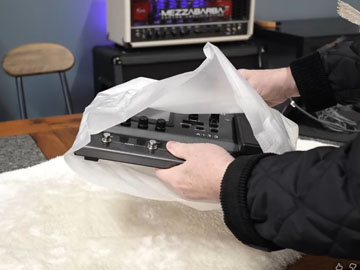
Like many of the box contraptions the GX-10 is really well boxed and in this case it comes with a few bits and pieces - here's what's included:
- The box!
- A power supply
- The GX-10 itself
- A printed manual (hurrah!)
Inside the Boss GX-10 Guitar Effects Processor
My reviews would be pretty useless if I did not explain what you were buying when you purchase this pedal, and that's why I always show the inside and out in all of my reviews. Its no mistake! So below you will learn what I saw inside the GX-10, the processor, other chips, build quality and more. Read on!
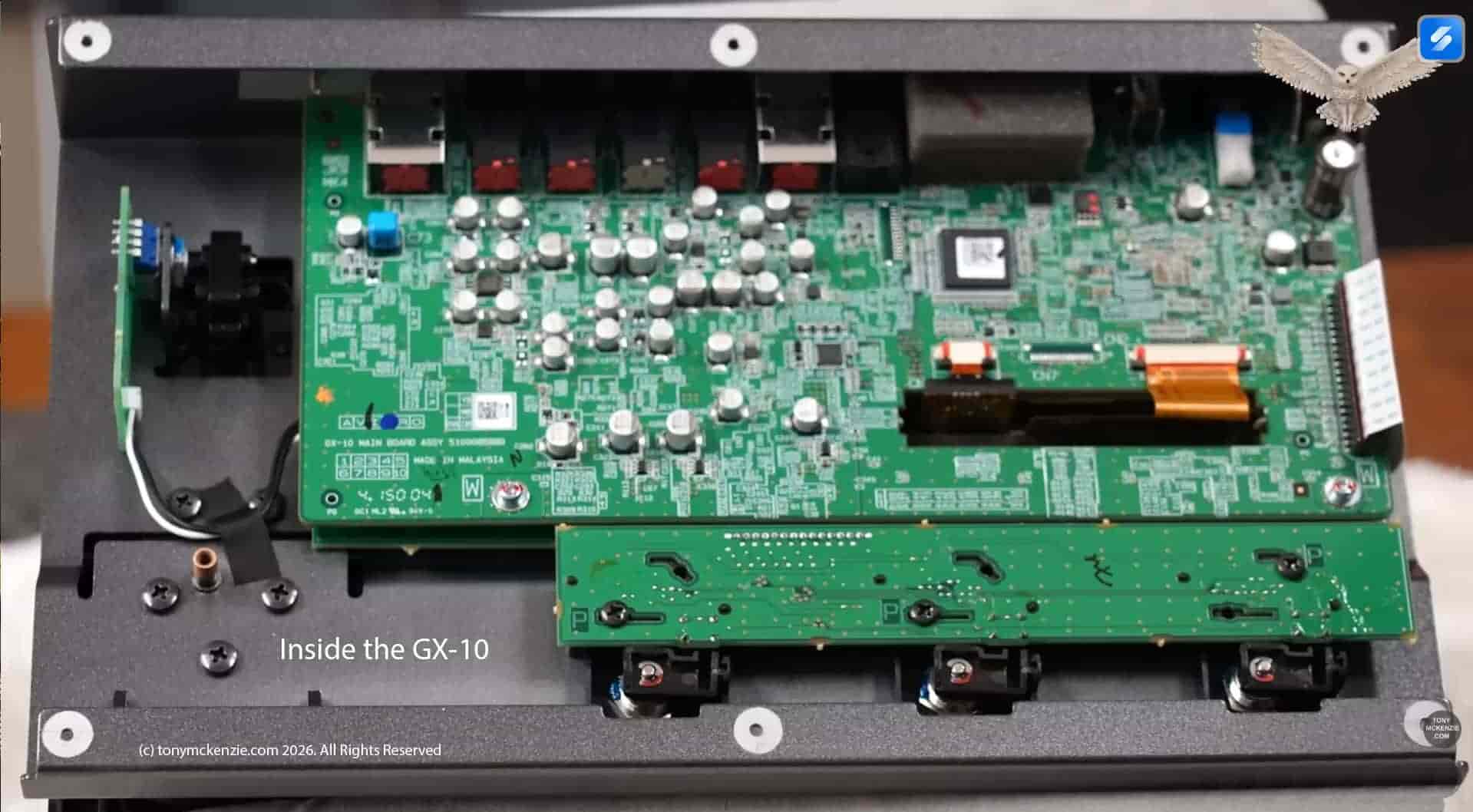
So I'm going to examine the insides of the unit, and as you can see from that image above, this is a well laid out device and clearly made on a machine, but often that's a good thing regarding reliability. The boards look really well made as in fact most Roland Boss boards are high quality. Quality is not an after thought when you want to buy anything like this, trust me - it matters, and without this sort of review you have no clue what you're actually buying. At least you can make an informed decision about the guitar processor called the GX-10! Ha they put a sticker on the main processor? Who knows why and really who cares, but I have a scraper maybe to see what it is later.
Main Board Close Up
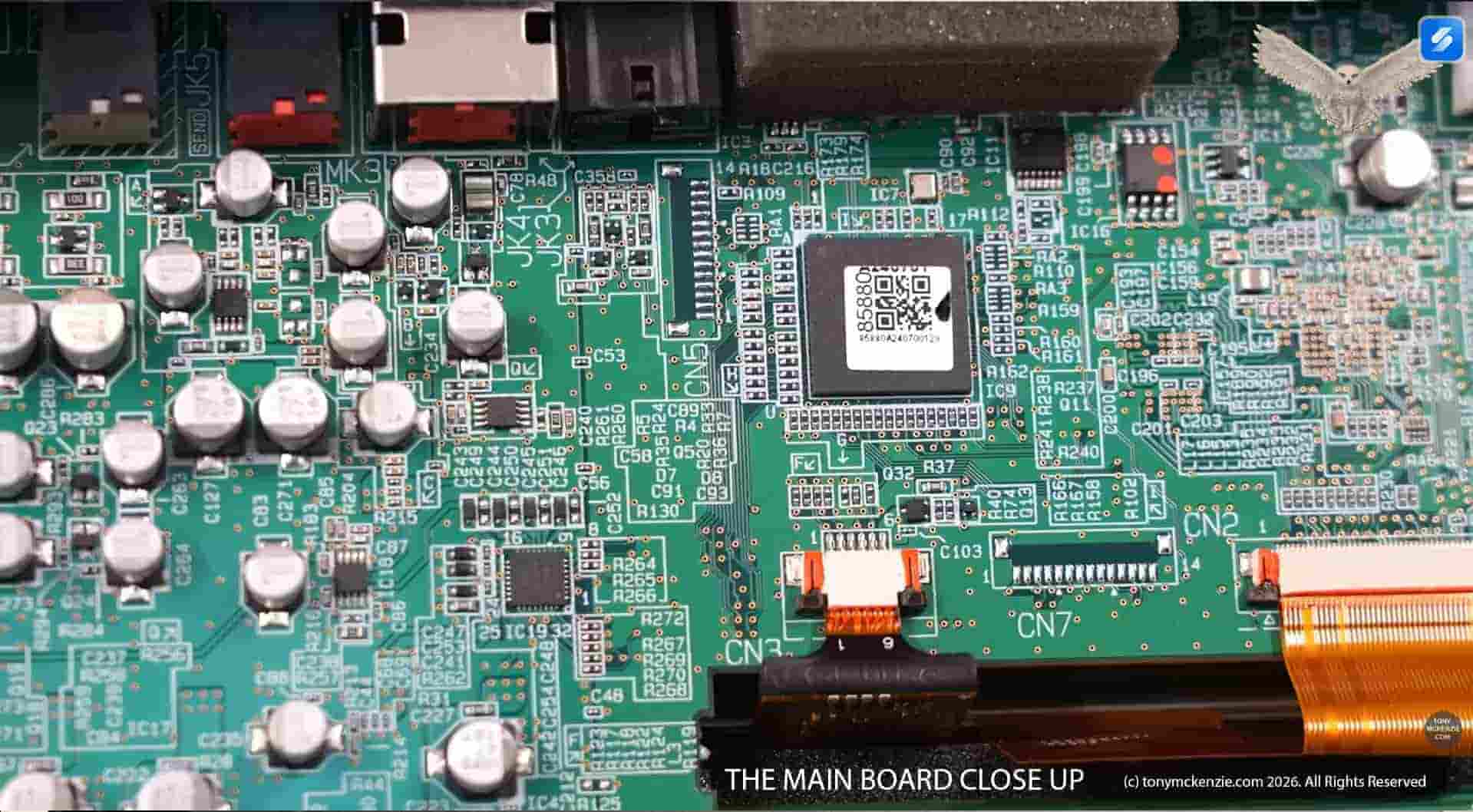
This looks like a multi-layered PCB and the design also includes two boards, one below the other and they are joined together. And another observation is the rear I/O is also fitted directly to this top board we can see, that could be problematic if any of the I/O was to get particularly a rough life out at gigs - remember that won't you. Fixing the problem may be easy or hard, but connectors on a separate board would have been better because if you can not fix it you'll need a new main board! And some connectors are made of plastic while others are metal. The on/off switch is also mounted on the main board. Having said that many connectors on the outside of the unit are actually metal where it matters.
However, this main board has good quality components, newer technology as often found in Roland Boss gear and there's little or nothing to get concerned about in this respect.
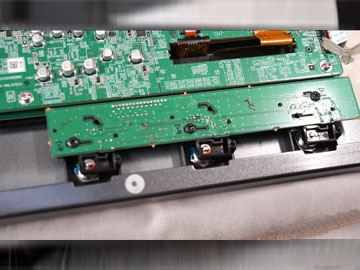
As you can see from the above image the foot switches are mounted on a separate PCB and that's a great way to ensure that it could be easily fixed if it fails.
Here is the rear I/O of the GX-10 in all it's glory and its pretty comprehensive for the price of the GX-10. Let's see exactly what's included.

What I/O is there:
- Ground connector
- Instrument input 6.3mm jack socket
- Output L (or Mono) and R 6.3mm jack sockets
- Send and Return 6.3mm jack socket for Loop
- Ctrl 2 and 3 or Expression 2
- BT Dual Adaptor Connector
- USB C
- Kensington Lock Point
- Power off and on
- Power supply in (PSB-1U)
Look at the large image and you'll see there's a ground connector for if you get any hum or buzz from the mains in the building etc. pretty common on Roland Boss gear.
To be honest most guitarists will know what the I/O is as its basically similar on all pedal gear these days. There's nothing exciting to see but hey, it IS a budget pedal and lower priced models do have often less I/O provided.
I won't run through these connectors as they remain basic and I want to try and keep the review manageable size.
The Annoying BT-Dual Bluetooth Connector
You will see it on the back of the GT-10. It has on this device a rubber 'bung' that fills the hole. What hole Tony? Oh I didn't explain that Roland Boss in their wisdom sell the Bluetooth device as an option! It tends to be the same on lots of Boss gear! and the GT-100 is exactly the same too.
Yes get your £40.00 out just to connect with Bluetooth. Had it been inside the device their cost would have been rather minimum, but just so you can make some more money, they decided to charge you for it! I don't know about you, but it annoys me every time I see that connector sitting there empty.
Approvals
You will also see on the unit Roland's address and CE and other approvals. These days I don't question the authenticity of the Roland Boss as I'm sure that its all completely correct. I might question SOME gear sometimes when the origin is from a country that might not quite know how to CE approve products. But also some far east companies will try and suggest that their approval is there with a CE mark. Sadly, there are products that are NOT approved and the products or parts thereof are unsafe or a fire hazard.
By the way this GX-10 was made in Malaysia.
As a nice small pedal clearly the top controls could be difficult to use, but Boss only included what I see as essential for the GX-10. Let's take a look.

Well what have we here. This pedal size and weight is approximately:
- 300mm (11 and 13/16 of an inch wide
- 183mm 7 and 3/16 of an inch depth
- 74mm (2 and 15/16 of an inch high
- 2.2 Kg or 4 Lbs. and 14 oz. weight
So lets take a look at the controls - I won't be going in to too much depth here as the software would generally repeat this section. Software editor etc. is later in the review.
The first limitation of the GX-10 is those three foot switches, and while you might say they'll be fine, in my experience it's clearly not enough - its one reason the GX-100 shines over this GX-10. And this device is not alone even on some gear costing many multiples of this one, like the Fractal Audio FM3 suffers from too. At least with the FA stuff they offer the FC3 but at a princely price of hundreds of pounds for a foot switch controller. You could use a MIDI pedal on this device with the USB C connector and I recently bought a new MIDI pedal from Amazon for about £100 or so, made by Paint Audio and called a MIDI Captain Foot Controller. Unsponsored, but I bought one. That can give you up to 10 more foot switches. If you don't want that then you are free to buy Roland Boss pedals that are compatible and these are: FS-5U, FS-5L, FS-6, FS-7. Also Boss make expression pedals that are also compatible: EV-30, FV-500L, FV-500H, Roland EV-5 but be aware that these switches and pedals can add up to much expense quickly. Ha there is even a wireless expression pedal: EV-1-WL and a wireless foot switch: FS-1-WL and don't forget that dreaded BT-Dual Bluetooth adaptor.
The Controls
- There are FOUR selector knobs under the screen (as is so common these days) and they basically are assigned different values depending on which screen is displayed.
- The selector knob can be turned to select a particular item on screen then push it to select.
- There is a convenient output level knob
- When working the screen the < and > buttons select the next or last item
- A Menu button allows you to go to settings to change them on screen
- Effects button brings up the effects on screen
- There is a write button to save your latest mods
- and also a exit button to exit what you are doing
When you turn on the GX-10 for the first time.
Write down the firmware version shown on the screen and check on the Boss site if there are updates. It DOES make a difference and ensure you're up to date with that firmware. Now the device when you get it and turn on will report that the 'auto off' is enabled on the unit and it will turn off after 20 minutes! My recommendation is to choose an option that is long maybe 5 or 10 hours - you can imagine what a pain that might be when using the unit. Once you have completed that little task you will be in the preset screen. By the way the screen is a touch screen so you can easily set that time off choice just by pressing the on-screen buttons.
I'll quickly describe the screens and menus but will keep it short because the software later offers easier and better solutions.
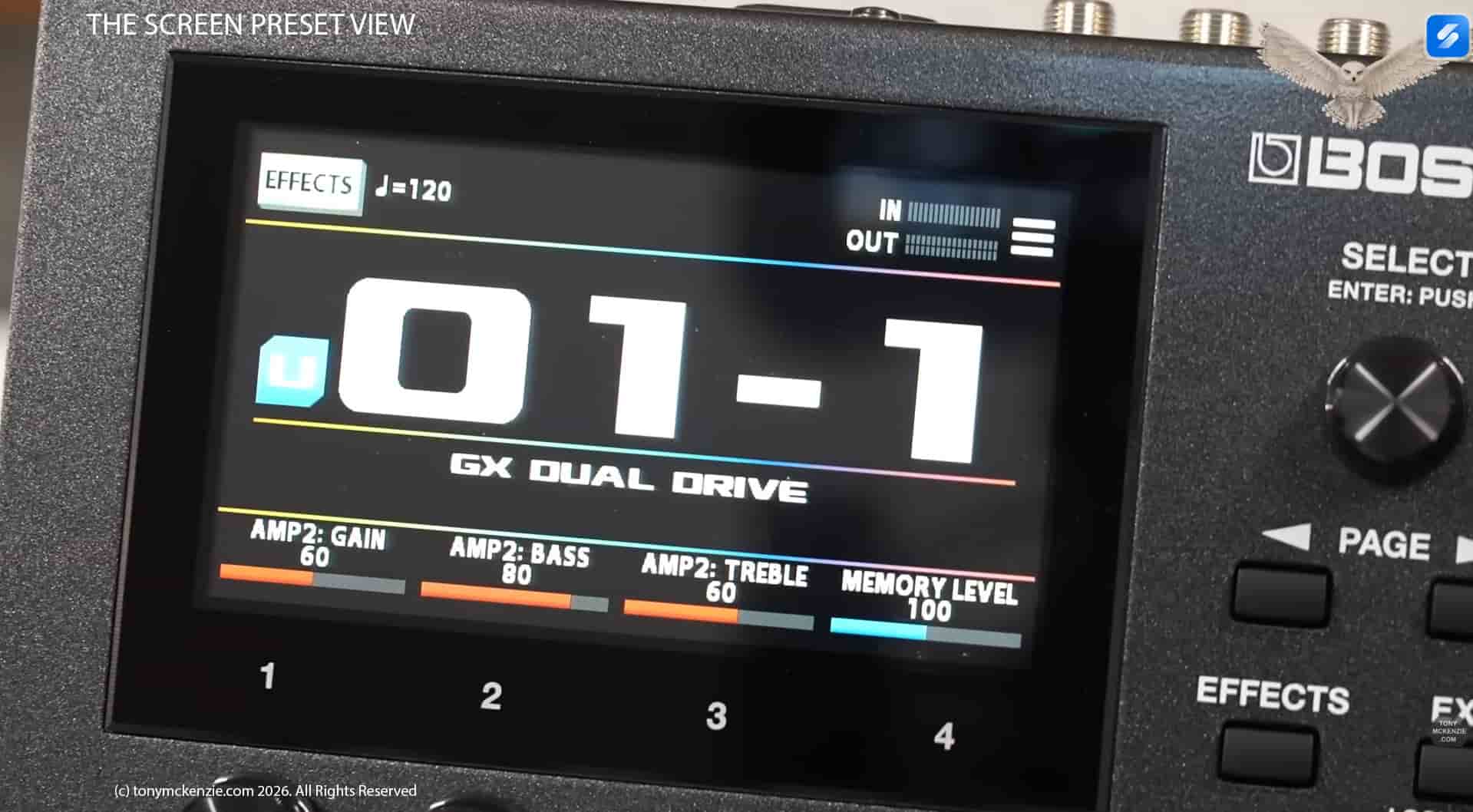
This is a Color Graphic LCD (480 x 272 dots) Touch screen that you can basically change most of the settings (if not all) by simply selecting with your finger on the screen, and using the controls I mentioned earlier. The screen quality is a high resolution color display and it helps no end rather than those old black and white types that were common not so long ago.
The Menu Screen
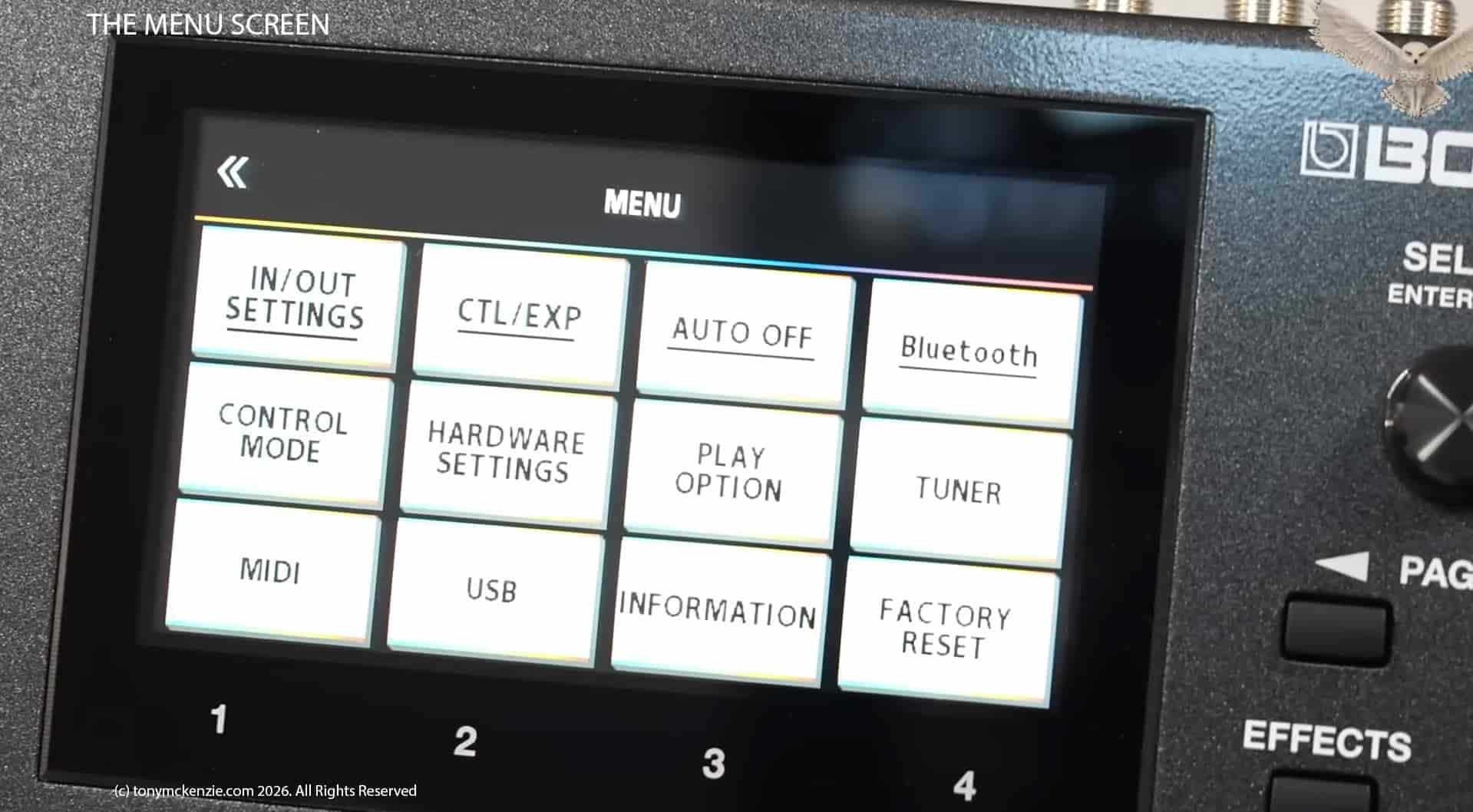
On this screen chosen from the menu button the following options are available to use and change:
- In and Out setting
- CTL/EXP pedal settings
- Auto Off settings
- Bluetooth settings
- Control Mode settings
- Hardware settings
- Play Option settings
- Tuner Settings
- MIDI settings
- USB settings
- Information about the device
- Factory reset
You simply choose one from the screen and set it up for the feature as you would like it. Its very easy for most of the menu buttons and are mainly self explanatory, I won't go in to depth here, but if you want to know more about these specifically see the menus in the video review of the GX10.
The Effects Button
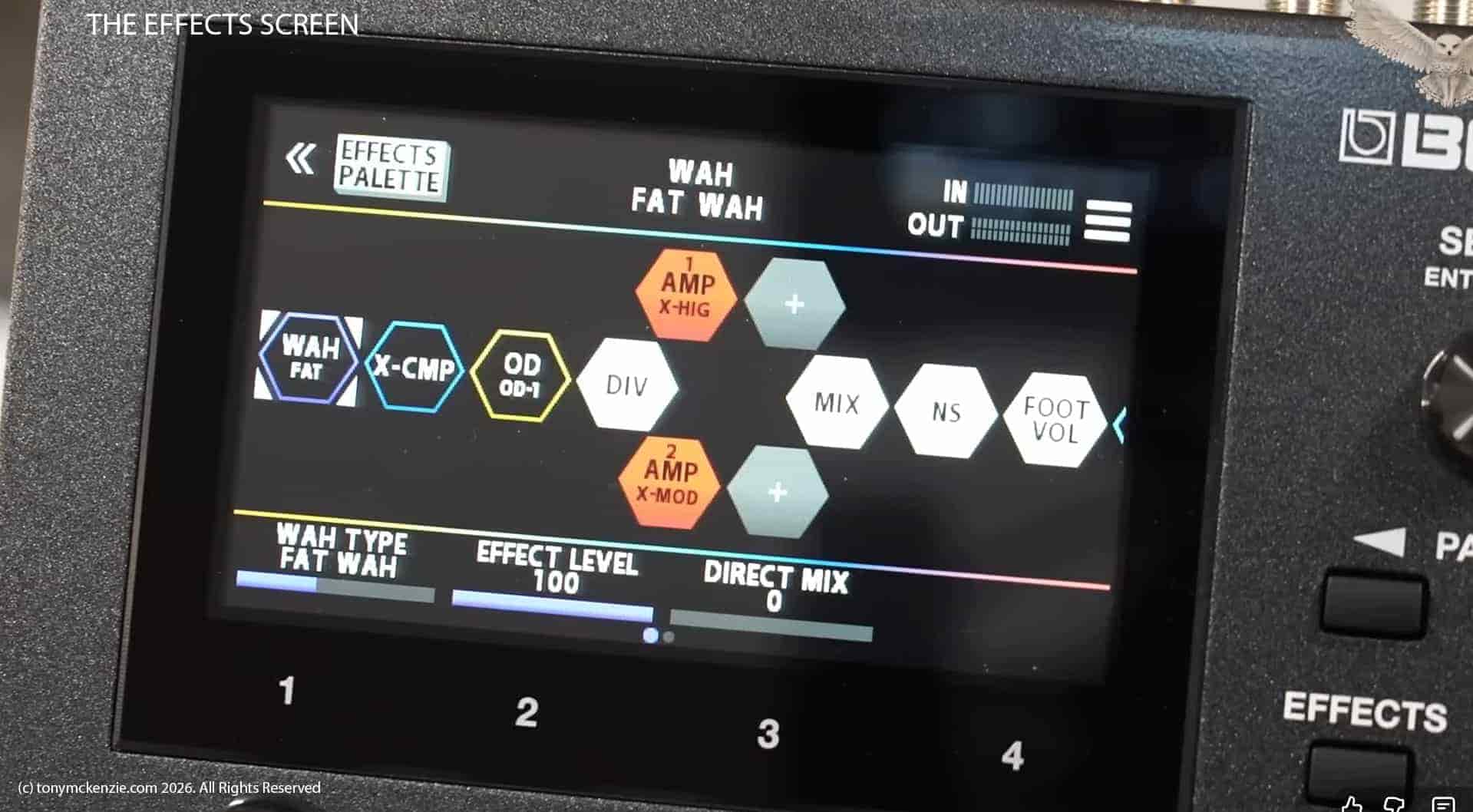
When you press the effects button you see the screen here with the audio path. For the GX series things have changed and these are new octagonal item shapes etc. but you will pick this up quickly. Click on an effect for example. This will be covered in the editor section.
Anything else is generally covered by the software so I'll move on from this section and cover some general points.
General Points So Far
This GX-10 is a really cool pedal if you don't want (or need) any of the larger effects processors out there. I always found that the 'real estate' of some of the other pedals is quite out of hand, and actually I sold my original Helix and bought a rack unit instead simply because of that huge size. And I found the GX-10 to be very well presented so that you can actually work on the device from that high resolution touch screen. I have worked on some where the screen they had was not viable because of tiny text, but on the GX-10 its great to use.
The GX-10 in the UK if I remember correctly was about £350.00 so it won't break the bank, and is affordable if you don't have loads of money. As we move forward with this review, I can see the resemblance with the GX-100 which costs more that's true, and there are more benefits, but don't assume that the GX-10 is anything other than a great pedal especially at the price and for what it offers.
Here's a quick section about the chips used in the GX-10 so you can get an idea about the technology used
You could compare the chips in the GX-100 with what I show here and check for yourself what the differences are if any, so lets get down closer to the chips used.
Main Processor
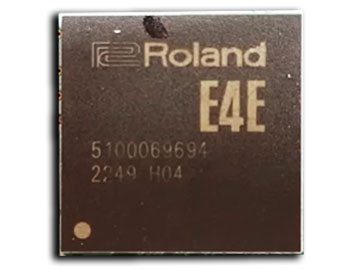
This main processor is a system on a chip I believe (SOC device) and there's never much information around about these as they are proprietary devices. Its a 510006964 device. Now understand that I can only GUESS what this chip is because when they are proprietary like this there seems to be so little information. This chip seems very similar to that in the GX-100 but I seemed to think looking back that the GX-100 had too. But I can't be sure. In any case this either is the processor or an effects chip that Roland Boss also make.
This is what Boss said:
The main chip in the Boss GX-10 is the GX-100 engine, which features 24-bit A-D and 32-bit D-A conversion, 32-bit floating-point processing, and a 48kHz sampling rate. This engine utilizes AIRD (Augmented Impulse Response Dynamics) technology to model the amp and speaker as a cohesive system, providing high-quality sound processing for both guitar and bass effects.
While this does NOT get in to actual chips used it does go a long way in to the specifications.
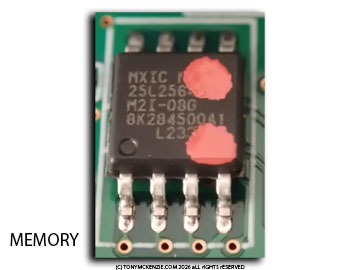
Memory MX25L25645GM2I-08G
Here's a bit of memory that's soldered to the board. it's a an IC flash 256bit SPI 120 meg 8 SOP that's what it says and it costs all of £2.91 so there it is bit of memory on the board can't say more really.
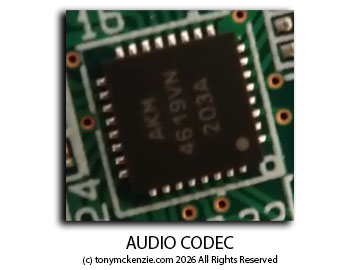
Audio Codec AK4619VN
This AK4619VN is a 192 kHz 4 channel audio codec it's AKM's AK 4619 and it accepts a variety of analog sources making it well suited for many audio applications, so it's an A to D and with probably support for full differential pseudo differential and single-ended input sources. It goes into car audios, car navigation displays, audio, audio interfaces and electronic musical instruments. what more can I say they cost about £3.91 each.
4556A Dual Op-Amp
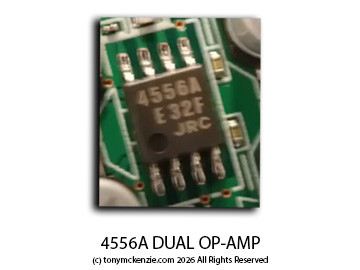
The 4556A Dual Op-Amp chip: It's a 4556A dual high current op amp or operational amplifier as they call them, it does what all the others do! it will supply voltage, high output current, slew rate, gain bandwidth, you don't really want to know all this stuff but it is in there and I just thought I'd show it to you :)
Other Components
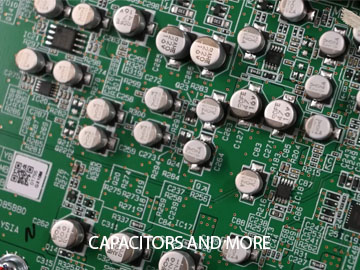
There is a large number of these surface mounted capacitors that you likely saw inside the unit earlier. Last time I saw this many it was in a Fractal Audio product they were everywhere, and I guess that's not a bad thing. There must have been 20 or 30 of them and while they can fail, more importantly, there was an electrolytic capacitor in the unit and those usually fail over time - a long time! But if in 10 to 15 years (or something like that) your unit stops - then check that electrolytic capacitor!
That's really the end of the chips section. It's never as good as other brands that use regular processors like those SHARC chips and that sort of thing, because with proprietary chips there's so little info. But the good news is that from what I see its all a winner!
There can be a long list of specifications, and sometimes they are worth taking a look because they can 'hide' something you might miss from other reviews, but below here they are.
Let's examine some of the specifications: The GX-10, believe It or not has a sampling rate of 48 kHz which is pretty good. There's an A2D converter which I've mentioned, it's 24-bit plus AF method (AF method means adaptive Focus method), it's proprietary from Roland Boss and improves the signal to noise ratio and the A2D and D2A converters. The conversion is 32 bits, it's processing is 32bit floating Point processor - they don't go in to hyper details but for the effects it does say that there's 170 effects types that is in this unit, you can have on this and 15 + three effects and that's quite a lot really. Memories: there's 108 user memories 99 presets, it's got a phrased Loop, a Looper, with 38 seconds mono and 19 seconds stereo. I don't use looper's myself but there you go. There's an internal tuner with detection plus or minus 0.1 of a cent. The graphic display is a core graphic LCD 480 by 272 dots and it's a touchscreen as I have already said. Its actually a 4in display.
Here's what Boss say about Specifications:
- Compact amp/effects processor for guitar and bass
- The same sound engine and color touch display as the GX-100 in a portable, travel-ready design
- Exceptional audio quality with 24-bit AD and 32-bit DA conversion, 32-bit floating-point processing, and 48 kHz sampling rate
- Authentic tube amplifier tone and touch response with AIRD technology
- 32 amplifier types and 170 BOSS effects
- Ultra-flexible amp/effect routing up to 15 assignable blocks
- Wide selection of onboard speaker types and support for loading WAV speaker IR's
- Streamlined modern design with a rugged metal chassis
- Three footswitches with flexible control modes
- Onboard expression pedal with toe switch
- Connect up to two footswitches or an expression pedal for expanded control
- Send/return loop for external pedals
- Record and play tracks in music production software on a computer or mobile device* via a USB-C®
- Edit sounds from your computer with BOSS Tone Studio for mac OS and Windows
- Download and share Live sets at BOSS Tone Exchange (compatible with GX-100 Live sets)
- Optional Bluetooth® Audio MIDI Dual Adaptor allows you to edit sounds and stream audio from an iOS or Android mobile device
Here's Something To Consider - NOT!
I have mentioned the dreaded BT-DUAL Bluetooth converter a few times so far. And to overcome the 3 foot switch dancing problem you could buy the Roland (those currently cost £99 from Andertons). The FS-1-WL gives THREE extra foot switches. But the sad thing is, that you have to have the BT-duel interface costing £40.00 currently also to make it work... that's £139.00 for three foot switches? While there are other I/O on the FS-1-WL it gives you just three switches. They must be mad! Not recommended - buy the Paint Audio MIDI Captain Foot Controller which offers far more for less and works well with other gear too.
When you get your CX-10 it's easy to jump right in and just use it, but I recommend you do this FIRST!
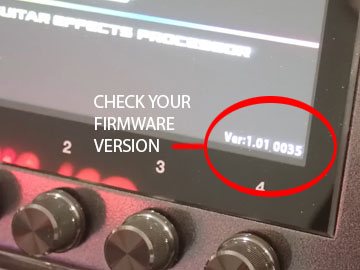
Whether you know it or not, it's possible to buy a GX-10 that might have been 'in stock' for some time. That's OK and I'm sure you'll love it, but there could be a problem even before you turn it on. Yes the Boss GX-10 you bought might be out of date by some time.
You see, the GX-10 is actually a computer, and if you have used a computer before, you will know about that incessant number of 'updates' that they keep nagging you to install. Well in some ways it's sort of similar. Ever heard of 'Firmware'? Maybe or maybe not, but its a very important aspect especially in my opinion on any of these type of devices and updates can sometimes come thick and fast. OK Tony, but what if I don't update the firmware?
Well not updating it is really a bad idea, simply because firmware will generally always update features in the device and/or fix bugs in the firmware that can sometimes make the unit operate differently than what it should be doing for a particular task. Take the case of the Fender Tone Master Pro that I reviewed when it first came out. Frankly it was so bad that I actually stopped the review half way through and declared that I would take another look later when it actually worked! I was NOT joking. Later (Ha about a year later) I did review it again with updated firmware and the device was entirely different. But what annoyed me (and maybe you if you watched the other reviews) was all those guys loaned or given a Tone Master Pro who made 'reviews' and said it was brilliant, when I know for a fact that the firmware was terrible and it could not run properly. It seems to me that there was an element of misleading information. So updating the firmware on the GX-10 is essential!
Check on the screen how to find the version installed, then check with Boss for the current version and if yours is older then update the firmware by following the simple instructions. Thank me later ;-) and click for firmware instructions for GX-10
It's likely that you will use the Tone Studio provided by Boss to setup and use your GX-10 - Here are some of the features.
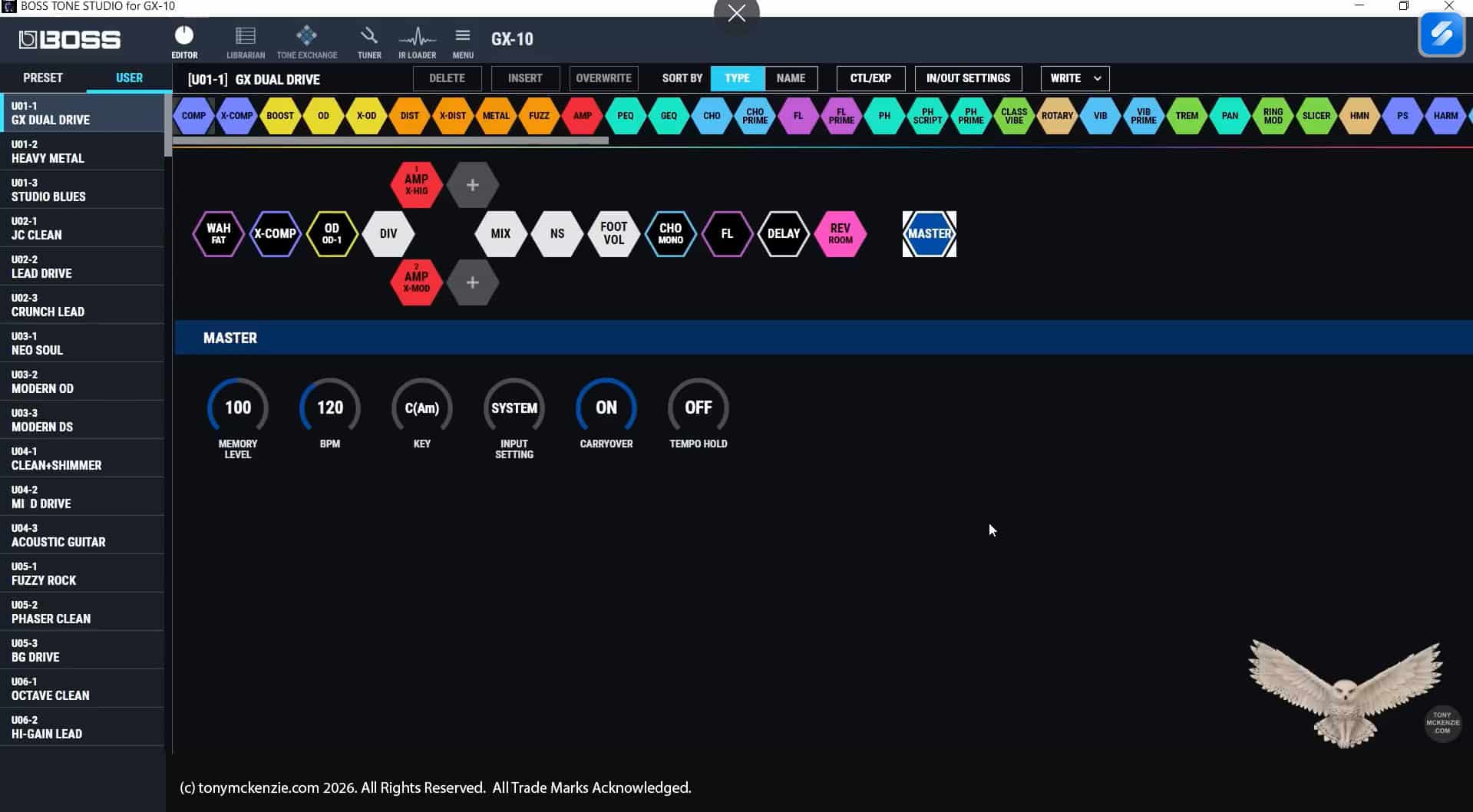
So this section covers some of the basic features of the Tone Studio software as supplied by Roland Boss so think of this as just an introduction because there are very many features of the software and it could extend this written review over many pages. Here' I want you to see how easy it really is to edit and set up the various things that the software covers easily - the simplicity of this software (that is common to much Roland Boss equipment these days) allows you to get the best out of your GX1- in the easiest way. And I agree!
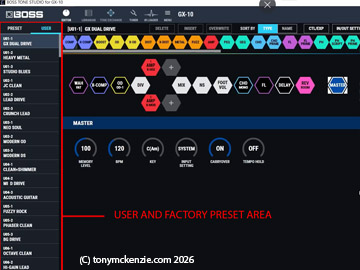
Above shows you the presets area in Tone Studio. These are the factory or user presets and can simply be chosen by clicking on them, and you'll notice that the graphic area changes as you change the presets. You will notice on a new device the factory and user presets are the same, but you can edit the user presets easy enough.
This editor screen is selected from the top row of icons - and we're in it now, you could also choose any of the other screens like: Librarian, Tone Exchange, Tuner, IR Loader and General Menu.
In editor mode the preset chosen as I said is represented with those colorful block graphics and its easy enough to click one and change different parameters if you want - or even change the blocks for something else. There are many choices! For amplifiers there are 23, for bass amps there are catered for too but just 9. For the effects there is a much larger number of 170 that include distortions, overdrives, modulation effects, various delays, reverbs, with some specific effects for bass guitar.
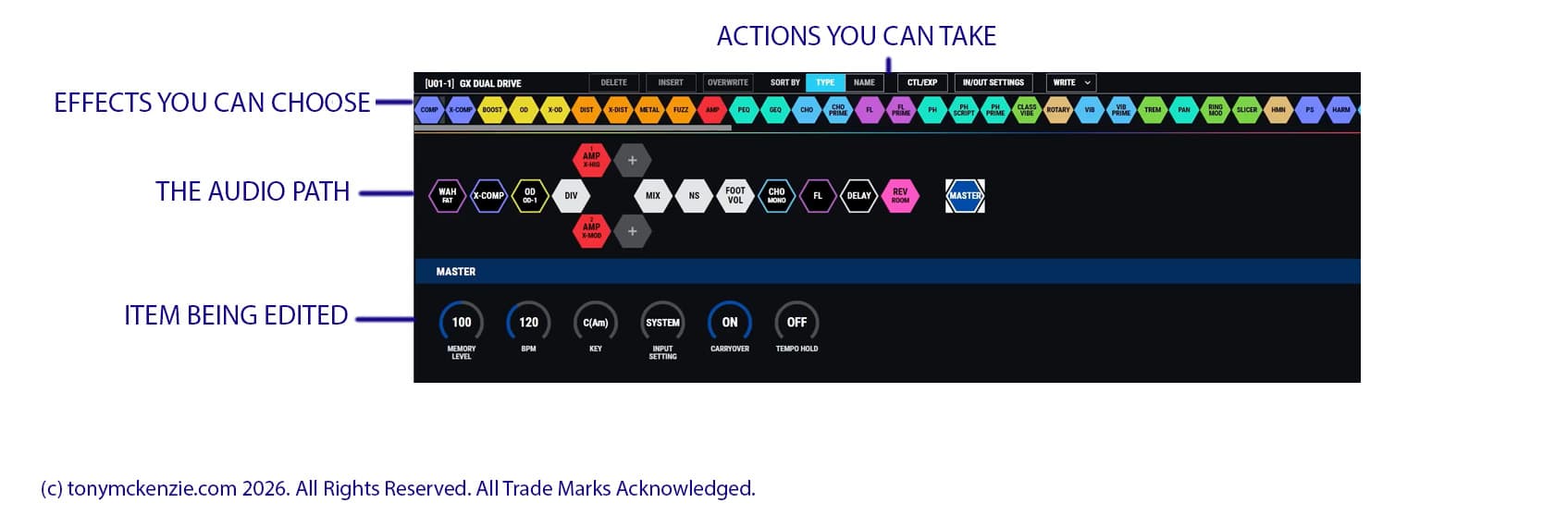
The above shows basic editing areas on the editing screen - you'll easily figure out this software.
Live Sets
Some while back Roland Boss decided to create something called Live Sets. I always understood those to really be like preset lists and it might be easier to understand that way. Its a way of organizing the presets in to these 'Live Sets' so those can be loaded and present what exactly you will use for any particular 'set'. These are useful if you gig a lot and change the set music frequently at different gigs.
Tone Exchange
Think of Tone Exchange as a place 'in the cloud' (so you need online access) where you can download your presets and live sets with others. And of course you can download theirs :) I guess it can be useful to many guys but I personally have little or no use for them.
Take note that although the GX-10 is different than the GX-100, the presets and live sets are fully compatible with the GX-10 if you download any from Tone Exchange!
The IR Loader
There is a section called IR Loader that allows you to import IR's that you can use to shape your tone, rather like having different speaker cabs, and/or microphones etc. and these are often featured in the GX-10 sort of devices for guitarists out there. They have a big effect on your tone. I believe you can load 16 of them, including purchased IR's from third parties.
Main Menu Options
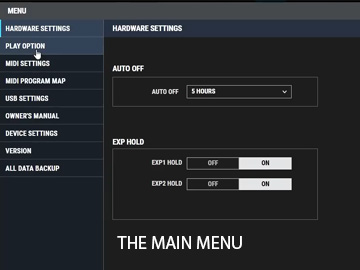
The main menu offers the ability to change or set up various things like:
- Hardware Settings
- Play Options
- MIDI Settings
- MIDI Program Map
- USB Settings
- Owners Manual
- Device Settings
- Version (Firmware!)
- All Data Backup
As you can see from this list its very comprehensive and there are sub menu's below those titles. I won't spend hours on this but you can watch the video review of the Tone Studio for a better understanding of the software.
This concludes the software section of the review.
Warranty
Roland Boss warranty is never important is it? We'll it's not until YOU get a problem or fault on the hardware that might be covered under the makers warranty terms. Or more importantly in the UK under the SELLERS warranty terms. Usually on Roland Boss gear it's one year warranty, but some sellers like Thomann offer 3 years warranty so remember keep those receipts because if nothing else you'll find them later as a reference whereas sometimes can you even remember when or where you bought it from!
I'm not a favorite fan of Thomann because of some bad purchases, but Thomann have that 3 year warranty and maybe some USA companies offer similar warranty as this. Check it!
So what are my thoughts about the GX-10 so far?
The GX-10 in my view offers a lot for what you pay really, and it's more like a 'standard' these days and rather similar to that GX-100 I keep on mentioning. The GX-100 was a brilliant piece of gear for guitarists and this GX-10 so similar in many ways it has to be worth a look. I can get very bored with writing reviews of this sort of gear because frankly much of it is very similar. In some ways that's great for new users because once you learn this, the GX-100 (and a bunch of other makers gear) would be simpler to pick up and use.
The touch screen on this unit is a 4 inch affair, and on some gear they are painful, but on this one it was not problematic. Using something like a Headrush MX5 could be really difficult because of tiny text and even my nimble fingers could not select it properly, but this GX-10 unit was a breeze.
The manual in the box is merely a 'starter guide' and pretty useless really, I recommend downloading the manual and printing it off... using it on some smart phone? Remember to bring your magnifying glass won't you. My guess is its a cost price result to get the street price a little lower. Ensure that you can find a manual that is NOT just an 'HTML' document because if there's no PDF you have no manual if you have no internet!
The power supply is excellent and you probably won't have any issues with it - as long as you don't lose it!
Likes
- It's very well made and metal casing
- It's easy to use
- It's affordable
- There's a comprehensive I/O on the back, but no 'old fashioned' midi port - USB will have to do
- It sounds pretty good!
- Basically similar to the GX-100
Dislikes
- Having to buy the BT-Dual Bluetooth adaptor for £40 (Thomann and others have it for £32.00)
- The 3 buttons for foot switches are painful in general and the cost to solve it? But the GX-100 instead!
- Don't buy the Roland Boss floor switch for £99.00
- Not as good value as the GX-100 in my opinion
OK Tony, what score would you give the GX-10 from a 1 to 10?
The GX-10 as a unit I did like and it reminded me so much of the GX-100 which I also liked, but there were a few things that stopped me from offering a 10/10 score really - so the GX-10 gets an EIGHT OUT OF TEN score. So let me give the reasons for that:
- The three buttons available are hardly enough for many users in my opinion
So bearing in mind all the things we have covered so far in this review and my only shortcoming is the 3 foot switches says a lot about the GX-10. It sounds pretty good, has all that sharing online and that sort of thing and is made like a tank, so it remains a good choice especially if the money is a little tight.
Sounds
The GX-10 was plugged directly in to the Presonus 32 desk. There are no amplifiers, speakers or anything else, just this, the guitar(s) and the preset sounds so that you can evaluate the tones exactly as they come to you. The tones of the GX-10 are available in the video review and are worth checking.
Other useful links:
If you like my reviews PLEASE Subscribe to my YouTube Channel
Thanks for visiting my website, currently I am writing 21 written reviews to bring the tonymckenzie.com website more up to date so the YouTube stuff has to wait a while. It does not sound much of a task but in reality will take me months to create.
All equipment in this review was bought by me and there has been no sponsorship in any way, so this review is a genuine review written in my own words reflecting my opinion of the GX-10. Please do visit my YouTube channel and SUBSCRIBE etc. as it all matters and my time and costs remain high to do this stuff.
Thanks.
© A B McKenzie 1997-2026. All Rights Reserved. All Trade Marks Acknowledged.